iPhone and Android file sharing is becoming less tribal
Quick Share can now meet AirDrop on supported Android phones. The useful bit is not magic interoperability, but fewer workarounds when one group photo needs to cross the phone divide.
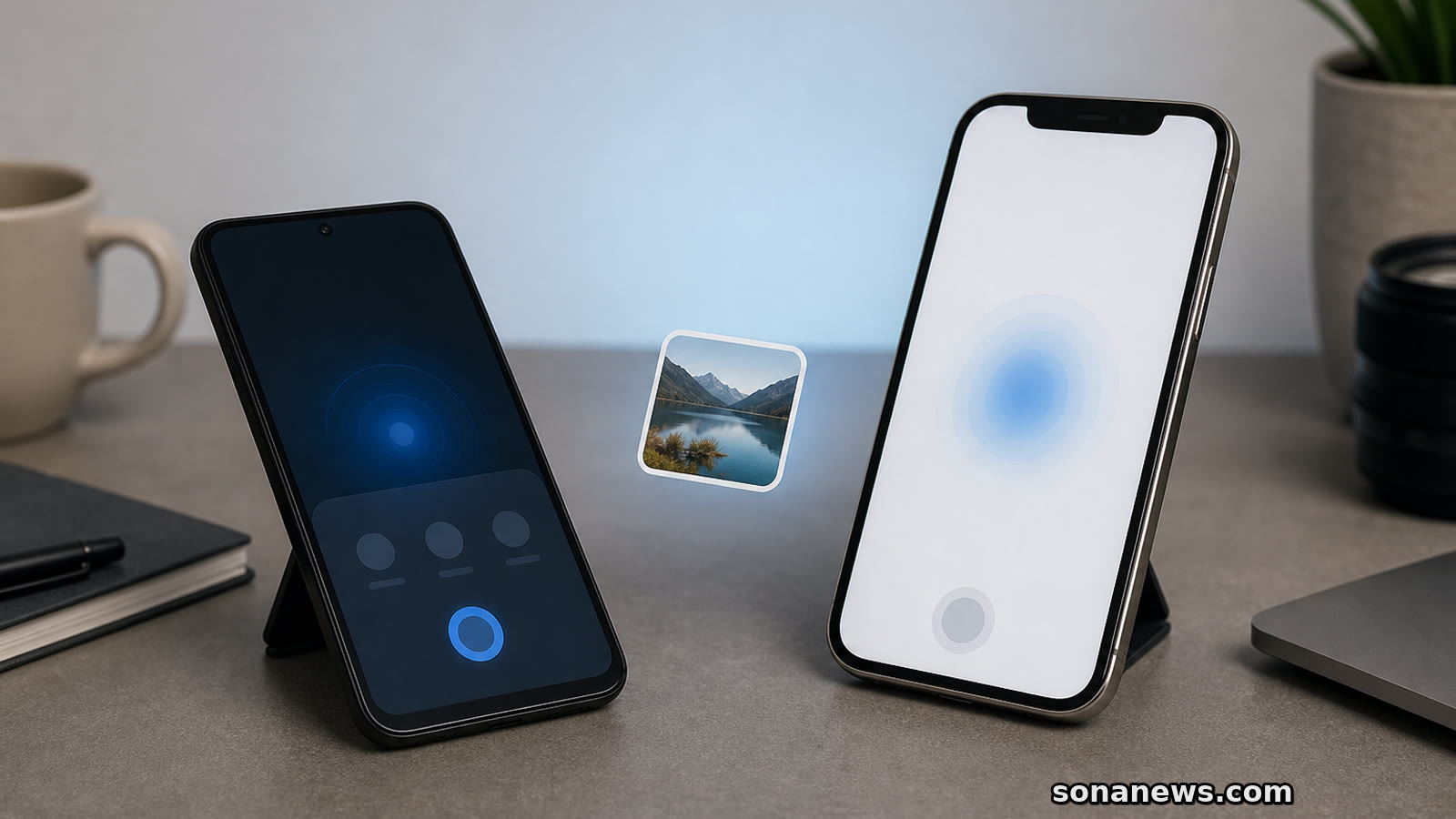

Phone sharing has always had a silly social layer. Someone takes the group photo. Someone else says, "send it to me." Then the room sorts itself by operating system. The iPhone people use AirDrop. The Android people use Quick Share, a chat app, a cloud link or whatever compromise will not mangle the image too badly.
That small irritation is now getting less rigid. Google announced in November 2025 that Android Quick Share could work with Apple's AirDrop, starting with the Pixel 10 family. Google's current Android Help page goes further: it lists Quick Share support for AirDrop on Pixel 9 or later, except Pixel 9a, and on certain Samsung, Oppo, OnePlus and Vivo devices. The same help page says Quick Share already works across Android devices, Chromebooks and select Windows PCs.
The change is easy to overstate, so it is worth being precise. This is not a universal promise that every Android phone can now appear inside every iPhone's share sheet. It is a compatibility route for supported devices, with settings and acceptance steps still doing real work. For many people, though, that is enough. The practical win is that the sender may not need to compress a photo through a messaging app or upload it to a cloud folder just because the other person chose a different phone.
The receiving side still matters. Google's instructions say that to send from Android to an iPhone, iPad or Mac through the AirDrop-compatible path, the Apple user needs to open AirDrop settings and choose "Everyone for 10 Minutes." Apple gives similar advice for sharing with someone outside your contacts. On iOS 16.2 and later, Apple says that setting reverts after 10 minutes, back to Contacts Only if the user is signed in to an Apple Account, or to Receiving Off if not.
That ten-minute window is the most honest part of the story. It says interoperability is becoming more convenient, but not frictionless. The old default was a private club: AirDrop for Apple devices, Quick Share for Android and nearby compatible devices. The new version still asks users to lower the gate briefly, confirm the recipient and accept the file. That is probably how it should feel. File sharing is useful precisely because it is local and fast, but local and fast is not the same as casual with anyone nearby.
Google has tried to make the security case because it knows this is the awkward question. Its security blog says the AirDrop-compatible Quick Share path is direct and peer to peer, with no server routing, no content logging and no extra data sharing. Google also says it used a Rust-based interoperability layer, internal security reviews, penetration testing and outside validation. Those claims do not make every transfer risk-free. They do explain why this is being presented as a controlled bridge rather than a simple hack around Apple's system.
There is a second route for devices without AirDrop-compatible Quick Share support. Google's Android Help page says those users can send to iPhone, iPad or macOS through a QR code. In that fallback, files are protected with end-to-end encryption and uploaded to Google servers, where they remain available for download for 24 hours. The page lists limits of up to 10 GB to iPhone, iPad or macOS every 24 hours, up to 1,000 files in one share session and up to 20 Apple-device receivers at a time. That is useful, but it is a different experience: more like a secure temporary link than a nearby hand-off.
Apple's own AirDrop support pages keep the basic shape familiar. Devices need Wi-Fi and Bluetooth, recipients must be nearby and each transfer can be accepted or declined. Apple's Mac support page says AirDrop transfers are encrypted, and notes that, after a transfer has started, it can continue over the internet if the devices leave Bluetooth or Wi-Fi range. On newer Apple software, Apple also describes AirDrop codes for people outside a user's contacts.
None of this is the end of platform lock-in. The phone industry still has plenty of places where a household with mixed devices notices the seams: family accounts, backups, accessories, messaging defaults, app purchases and repair routines. But file sharing is one of the most visible seams because it happens in ordinary rooms, not procurement meetings. A phone feature becomes a social problem when it decides who is easy to include.
The better reading is measured. Quick Share meeting AirDrop does not make Android and iPhone the same. It does make one everyday task less tribal on supported devices, and it gives users a clearer menu of choices: direct nearby share where supported, a timed AirDrop window on the Apple side, or a QR-code fallback when the hardware does not line up.
That is not flashy. It is more useful than flashy. In consumer tech, interoperability often arrives as a boring support-page detail before it feels like a cultural shift. This one is exactly that: a small, practical bridge for the moments when the photo, file or boarding pass matters more than the logo on the phone.
Editorial note. This article is general technology information. It is not security, privacy, procurement or legal advice.
Sources
- Google Blog - "Android Quick Share can now work with iOS's AirDrop" - - extracted 2026-06-08. Verified: announcement date of 20 November 2025; feature introduced as Quick Share working with AirDrop; rollout started with the Pixel 10 family; Google linked the move to cross-platform compatibility work including RCS and unknown tracker alerts
- Google Android Help - "Use Quick Share on your Android device" - - extracted 2026-06-08. Verified: Quick Share works across supported Android devices, Chromebooks and select Windows PCs; AirDrop-compatible sending is listed for Pixel 9 or later except Pixel 9a and certain Samsung, Oppo, OnePlus and Vivo devices; Apple recipients must choose "Everyone for 10 Minutes"; QR-code fallback uses end-to-end encryption, Google-hosted temporary downloads and stated size/session limits
- Google Security Blog - "Android Quick Share Support for AirDrop: A Secure Approach to Cross-Platform File Sharing" - - extracted 2026-06-08. Verified: two-way Android and iOS sharing claim; direct peer-to-peer route; no server routing, no content logging and no extra data sharing for that route; Rust-based interoperability layer, security reviews, testing and outside validation
- Apple Support - "How to use AirDrop on iPhone and iPad" - - extracted 2026-06-08. Verified: AirDrop sharing requires nearby devices, Wi-Fi and Bluetooth; non-contact sharing uses "Everyone for 10 Minutes"; iOS 16.2 and later revert that setting after 10 minutes; Apple describes AirDrop codes on newer software
- Apple Support - "Use AirDrop to send items to nearby Apple devices" - - extracted 2026-06-08. Verified: AirDrop supports nearby Apple devices, encrypted transfers, accept/decline prompts, Wi-Fi and Bluetooth requirements, and code prompts on newer software
- Google Blog - "June Android Drop: New personalization and safety features are here" - - extracted 2026-06-08. Verified: current June 2026 Android feature roundup includes easier sharing with iPhone users, placing the interoperability feature in Google's current consumer Android messaging
Help us improve
Was this article useful?
One anonymous tap helps Sona improve future reporting, headlines and source context.
Up next

The coming Android 16 feature lets Gemini save where you say you left keys or a passport. That can be useful, but it only knows the location you entered.
Continue readingMore in Tech