Bluetooth multipoint: two connections, usually one audio source
A headset can stay connected to a phone and laptop without playing both at once. Model-specific switching and call rules matter more than the number of remembered devices.
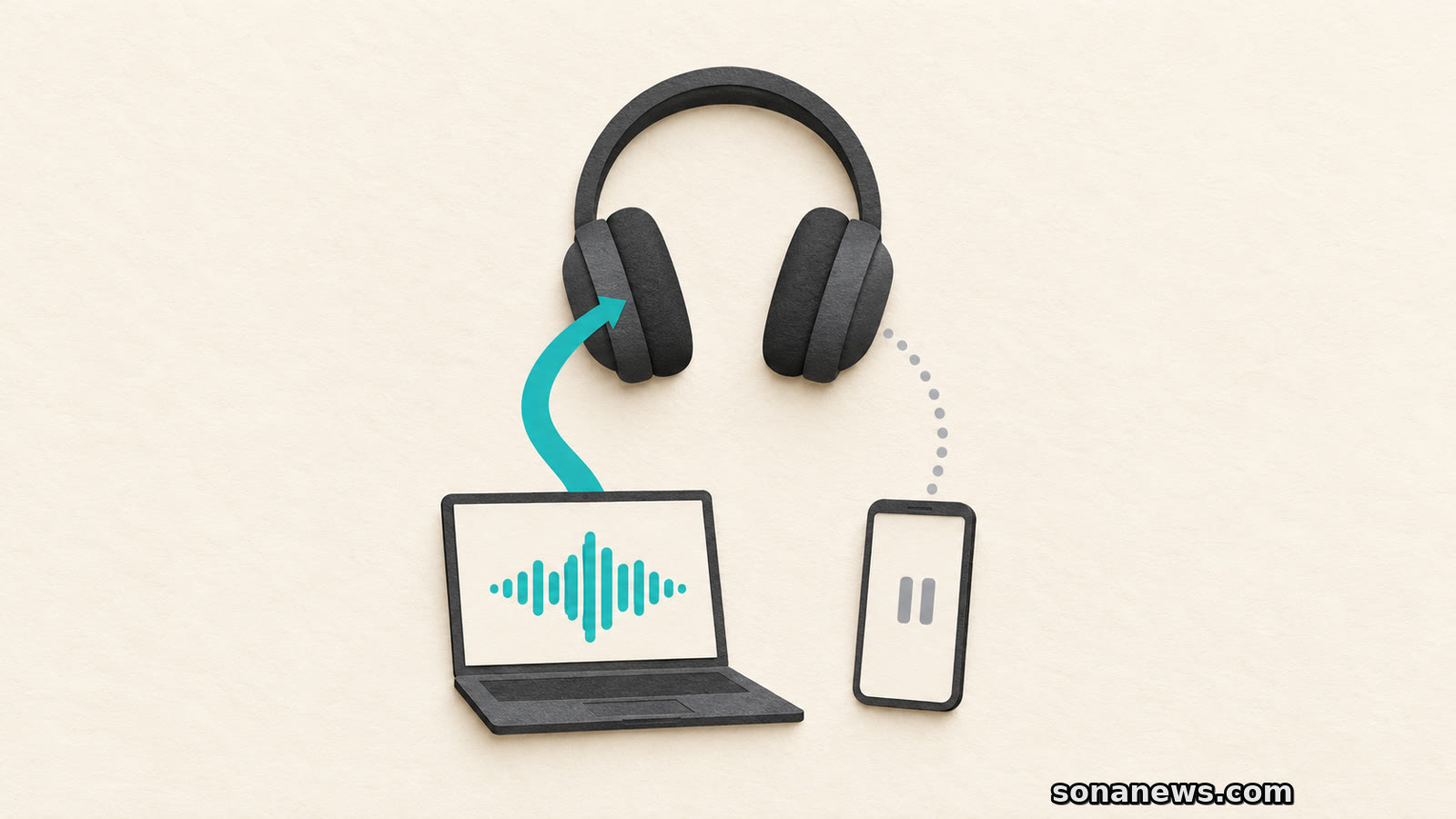

Your headphones are connected to a laptop and a phone. You start music on the phone, but the laptop's audio keeps playing. That need not mean the second connection has failed. It may be exactly how the headphones are designed to work.
Bluetooth multipoint lets a compatible headset maintain connections to more than one source device, commonly two. Its everyday benefit is switching between them without repeatedly disconnecting and reconnecting. It generally does not combine their soundtracks into one feed.
This is an explanation of an existing feature, not a new Bluetooth release. Sony's WH-1000XM5 help guide and Bose's multipoint documentation show why the distinction matters: two live connections can still have one active music source, while calls follow their own rules. Before buying a headset or troubleshooting one, check what happens when the second device actually starts making sound.
A phone appearing in a headset's pairing history is not the same as that phone being connected now. Pairing establishes the relationship. A current connection makes the device available to the headset. Playback is a further question: which source is being heard?
Sony's instructions make the sequence explicit for the WH-1000XM5. Pair the headset with both devices, connect the first, enable the option to connect to two devices simultaneously in the companion app, then connect the second. Simply pairing both is not the whole procedure.
That is a model example, not a universal menu path. App names, settings and supported combinations vary. A product description that lists a large pairing memory therefore does not, by itself, answer how many devices can remain connected or how their audio will be handled.
Bose's general explainer also notes that some products support three connections, while multipoint is not available on every wireless headset. Treat the feature as something to verify for the exact model, rather than something the word “Bluetooth” guarantees.
For ordinary media switching, the useful test is simple: pause or stop playback on the first device, then start it on the second. Bose's QuietComfort Headphones support page gives that sequence directly. It also offers switching through the Bose app.
Sony describes a revealing edge case. On the WH-1000XM5, starting music on the second device while the first is playing does not immediately replace the first soundtrack. The first continues to be heard. Once playback stops on the first, audio from the second can be heard through the headset.
The same guide says that using the headset to start music selects the device that played last. A button press on the headphones and a press inside a phone's music app are therefore not necessarily equivalent ways of choosing a source.
If the second source seems silent, first establish which device still has playback running. Confirm that both intended connections are active, then try the manufacturer's documented handover. That is a more informative check than repeatedly deleting pairings without knowing whether the problem is connection or source selection.
These instructions do not promise an identical response from every browser, meeting app or operating system. They establish the headset behaviour described by the manufacturer, not a guarantee about every application feeding it.
Multipoint is useful when music is playing on one device and a call arrives on another. Bose says incoming calls generally take precedence over ordinary media in its explanation of the feature. Its QuietComfort support page says the headphones receive calls from both connected devices, regardless of which is playing audio.
But “two connected phones” should not be read as “two calls mixed together”. Sony's WH-1000XM5 guide says that, during a call on the first phone, an incoming call on the second rings on that second device. After the first call finishes, the second phone's ringtone can be heard through the headset.
That detail is worth checking if you carry separate work and personal phones. Being available to both is not the same as automatically merging conversations or making every call-control action interchangeable.
There are exceptions to the ordinary one-source expectation. Bose describes specialised advanced-multipoint headsets that can merge calls, generally in call-centre use. That is precisely why the product's explicit audio and call capabilities matter. A generic multipoint badge is not enough evidence that a headset will mix the two sources you have in mind.
A second connection is useful until its notifications interrupt the source you wanted to hear. Bose acknowledges that trade-off on its QuietComfort Headphones support page. It suggests turning multipoint off in the app if notifications from the secondary device disrupt listening on the primary one.
For that model, the documented route is Settings, Bluetooth Connections, then the Multi-point connection toggle. Turning it off disconnects the secondary device and leaves one connection at a time. Turning it back on restores the ability to connect to two.
That is a choice between convenience and isolation, not evidence that multipoint is defective. Nor is it a reason to assume every headset handles notifications in the same way. Check the instructions for the model you own before treating a different device's controls as your own.
A useful buying or setup check has three parts: confirm support for the intended pair of devices, try switching ordinary audio, and read the separate call-handling rules. If uninterrupted listening matters, also check whether the second connection can be disabled.
If your real requirement is to hear computer audio and phone audio together, look for an explicit mixing capability covering those inputs. Do not infer it from the number of devices a headset remembers, or even from the number it can connect to simultaneously.
For most people, multipoint's value is less fiddling between a phone and computer. The test is not whether two device names appear in an app. It is whether the headset moves between them in the way you need.
Sources
- Sony, WH-1000XM5 / WH-1000XM5SA Help Guide, “Connecting the headset to 2 devices simultaneously (multipoint connection)”, retrieved 24 October 2026. Verifies separate pairing/connection/enablement, last-played-device control, first-source continuation, stop-then-switch behaviour and the second incoming call ringing on its handset during the first call. These behaviours are attributed to this model, not generalised to all headsets
- Bose, “What is Bluetooth multipoint, and how does it work?”, retrieved 24 October 2026. Verifies multiple connections versus generally one audio stream, common phone/computer use, call precedence, product variation and specialised call-merging exceptions. Marketing claims, an unneeded technical claim about broadcasting and its performance narrative are not adopted
- Bose Support, “Using multiple Bluetooth connections”, QuietComfort Headphones, retrieved 24 October 2026. Verifies pause-first/play-second switching, calls from both devices, switching through the app and the documented multipoint-off option for secondary-device notification interruptions
Help us improve
Was this article useful?
One anonymous tap helps Sona improve future reporting, headlines and source context.
Up next
A RAID mirror can keep files available when a drive fails. Recovering a deleted folder, or losing the whole box, needs a different kind of protection.
Continue readingMore in Tech