Your soundbar needs the TV's ARC port, not just any HDMI socket
An HDMI plug fitting is not enough to send television sound back to a soundbar. Check the audio-return connection at both ends, then the settings for your particular devices.
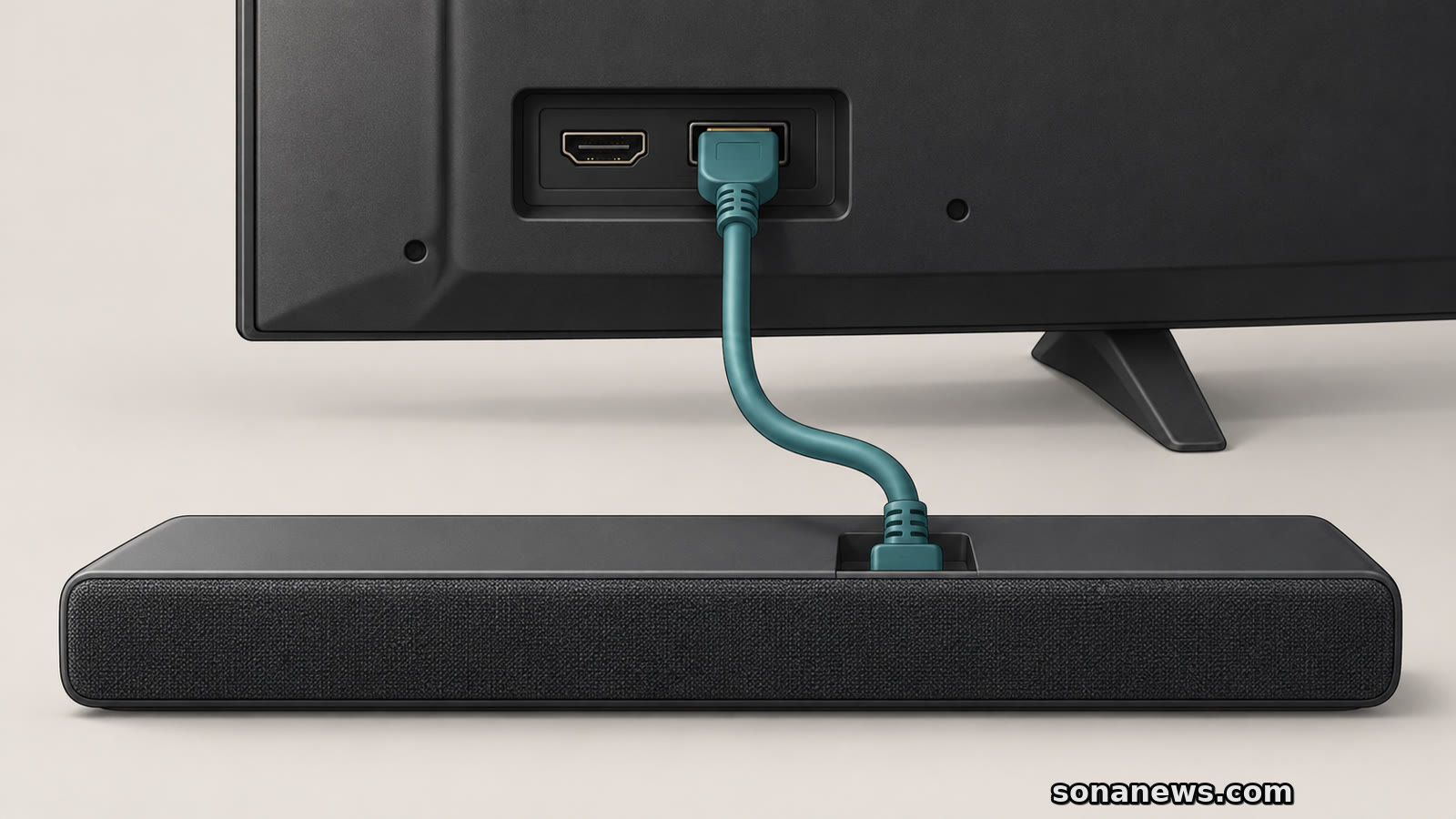

The soundbar is plugged into the television, but the programme is still playing through the TV's speakers. Before assuming the cable is faulty, look at the socket it occupies. For an HDMI audio-return connection, the TV end belongs in the port identified for ARC or eARC, not simply the nearest HDMI socket that fits.
That distinction appears in both Sony and Samsung's connection instructions. It matters particularly when the sound starts inside the television, such as a programme playing in a TV streaming app, and needs to reach an external soundbar. A connector's familiar shape does not tell you everything about what that particular port can do.
This is an explanation of existing equipment and controls, not a newly announced HDMI rule. Port positions, supported features and menu names vary by model and market. The useful starting point is the manual for the two devices in front of you, rather than a universal port number or shopping recommendation.
ARC means Audio Return Channel; eARC is Enhanced Audio Return Channel. HDMI Licensing Administrator describes eARC as a way to send audio reaching a TV from streaming, broadcast or external sources to a soundbar or AV receiver through one HDMI cable.
The word “return” helps explain a confusing label. Sony's guide recommends connecting the TV's HDMI input terminal marked for eARC or ARC to the soundbar's HDMI output terminal for eARC or ARC. Samsung calls the soundbar connection “HDMI TO TV (eARC/ARC)” in its Canadian instructions.
An output on the soundbar is therefore not automatically the wrong place to receive the TV's returning audio. It is the designated TV connection. A separate HDMI input on a soundbar, where present, has a different role: it can accept a source such as a games console or disc player.
Do not generalise the exact printed wording, either. Sony notes that some soundbars may not have “eARC” or “ARC” printed by the terminal and directs users to the soundbar manual. Identify the function, not merely a familiar abbreviation.
There are two common arrangements in the manufacturers' guides. In one, an external player connects to the TV, which sends audio to the soundbar through the audio-return connection. A TV's own streaming app can also supply the sound that goes out to the soundbar.
In the other, the external player connects to an HDMI input on the soundbar, and the soundbar connects onwards to the TV. Samsung documents that arrangement separately. It also warns that the soundbar must support the required video pass-through for the external device, giving 4K as an example.
That is why a picture appearing from a console is not, by itself, a complete check of the TV's audio-return setup. The connection path for an external player and the path for a TV app are not necessarily identical. Establish which source you are trying to hear before changing cables or inputs.
For a practical first check, trace the single link between TV and soundbar. Confirm the TV's designated ARC/eARC port and the soundbar's documented TV connection. Then establish whether an external source is connected to the TV or to the soundbar. This keeps two different setup questions from becoming one confusing cable swap.
Physical connections are only part of the setup. In Sony's eARC instructions, the TV's eARC setting is set to Auto, the speaker output is set to Audio system, and the audio system's eARC feature is enabled according to its own manual.
Samsung's US guide likewise documents enabling Anynet+ (HDMI-CEC), then setting HDMI eARC Mode to Auto. Its soundbar instructions include selecting D. In, after which the source changes to TV eARC. Those are Samsung-specific names, not commands to look for on every brand.
Samsung's Canadian guide explicitly says its information concerns TVs sold in Canada and that settings can differ elsewhere. Treat the menu paths as examples of the checks involved: the TV's selected speaker output, the relevant audio-return setting, and the soundbar's selected source. If the labels do not match, return to the manual for the exact model.
An eARC option in a menu is also not proof that every connected device supports the same feature. Sony's instructions separately require enabling eARC on the audio system. Both ends need to be considered, rather than treating the television's setting as a system-wide upgrade.
eARC supports higher-bitrate audio formats than earlier ARC capabilities. HDMI Licensing Administrator lists formats including Dolby TrueHD and DTS-HD Master Audio. That describes the interface's capabilities, not a promise that every TV, soundbar, programme and connection will deliver every listed format.
The cable should meet the equipment maker's requirements. Sony recommends an authorised Premium High Speed HDMI cable in the guide used here; Samsung's Canadian page recommends High Speed HDMI with Ethernet and Premium High Speed HDMI cables. Neither instruction makes an ordinary TV socket acquire audio-return support just because a different cable is attached.
A cable problem is possible, but it is not the only explanation for silence. Port purpose, source routing, speaker selection and device compatibility are all separate checks. If the equipment does not provide the required HDMI audio-return connection, consult its supported alternatives. Sony's guide includes a digital optical connection for compatible audio systems, without making it equivalent to eARC for every feature.
Before spending money, write down the TV and soundbar model names and check their connection diagrams side by side. The useful question is not simply whether the cable fits. It is whether that specific connection is designed to carry the sound you want, in the direction you need.
Sources
- Sony Help Guide, “Connecting an audio system”, retrieved 31 October 2026. Verifies the TV ARC/eARC input to soundbar ARC/eARC output connection, possible absence of port lettering, separate external-source routes, eARC settings and optical alternative. Model/region/country limitations retained
- Samsung Canada, “How to connect a soundbar to your Samsung TV using HDMI ARC”, updated 15 August 2026, retrieved 31 October 2026. Verifies HDMI TO TV versus external-source input, the designated TV port, model variation, cable recommendations and the video pass-through check. Canada-specific menus are not generalised
- HDMI Licensing Administrator, “HDMI Enhanced Audio Return Channel (eARC)”, retrieved 31 October 2026. Verifies the TV-to-audio-system purpose and supported high-bitrate format examples. No claim that all HDMI products or streaming services provide all formats
- Samsung US, “eARC on your Samsung TV and soundbar”, retrieved 31 October 2026. Verifies the manufacturer-specific Anynet+, Auto and D. In setup steps. Broad promotional claims about sound quality and model-year coverage are not reproduced
Help us improve
Was this article useful?
One anonymous tap helps Sona improve future reporting, headlines and source context.
Up next

A RAID mirror can keep files available when a drive fails. Recovering a deleted folder, or losing the whole box, needs a different kind of protection.
Continue readingMore in Tech